
12 Grocery Shopping Apps Customers Love
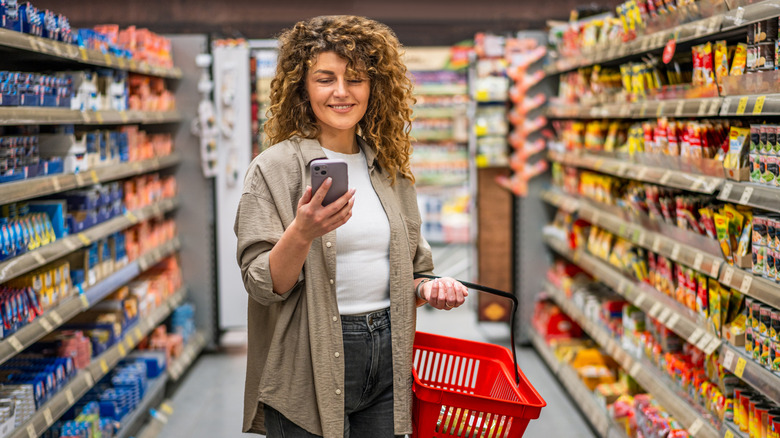
Grocery shopping is a necessary chore, but it's getting more expensive. With the average monthly grocery bill having risen in recent years — and projections from the United States Department of Agriculture (USDA) saying they will increase by as much as 3.2% in 2026 — the prospect of making a list, going to the store, and waiting in a checkout line has only gotten less appealing.
Fortunately, there are now more tools at our disposal to minimize our shopping woes. Of course, there are grocery store loyalty programs, which reward you for being a frequent shopper with discounts toward groceries or gas. But beyond that, there are many clever apps designed to help you save money, tell you where to find the cheapest produce in town, track your spending on certain grocery categories, let your whole family update the same list in real time, and even reward you for shopping in the first place.
But there are hundreds of grocery shopping apps out there — how can you possibly choose one? That's where we come in. After scouring app ratings as well as scores of online comments and reviews, these are the grocery apps customers say they adore.
Paprika Recipe Manager
A search for grocery apps people love led me to a Reddit discussion about Paprika Recipe Manager. Once I began exploring, it's not hard to see why people love it. The app has several helpful features that ultimately simplify meal planning, shopping, and cooking. It seamlessly syncs recipes, grocery lists, and meal plans across all devices, so you can go from your phone at the store to your tablet at home.
Start by browsing for recipes online. When you find one you want to keep, download the recipe to Paprika. If there's a recipe you've created or found in a cookbook, that can go in too. You can also search for recipes right in the app using its Browser feature. Bonus: When you save a recipe you found online, the app formats the recipe to cut out all the blah-blah from online bloggers ("I discovered this recipe while traveling through France..."). Reviewers say they like the clean, user-friendly interface.
Then, if you like to plan meals ahead, use the app's meal planner feature to schedule recipes and add their ingredients to the grocery list, which the app organizes by aisle categories to help you shop more efficiently. Though some reviewers balk at the purchase price of $4.99, its robust array of features impressed others who say it's worth every penny.
AnyList
Reviewers love AnyList for a lot of reasons. The free version can create shopping lists and checklists, such as to-do's or what to pack for a trip, and you can save lists by store (even beyond grocery stores). It's Alexa- and Siri-enabled, so you can use voice input. The app also checks the Reminders on your phone when it launches, in case new items have been added that way.
AnyList categorizes the grocery list and adds photo icons, so you can recognize the item, as well as the amount you need to buy and even the brand you want. Because the list automatically syncs with others in your household, these notes make it easy for a spouse to know which brand or variety you want. Reorganize the categories to match your store layout.
If you're willing to pay for the premium version ($9.99 per year for an individual, or $14.99 per year for a household), you get extra features such as a meal planning calendar, the option to upload your own photos to the grocery list, recipe scaling to your chosen serving amount, and even location-based reminders to let you know when you're near your chosen store to remind you to stop for milk.
Flipp
There's nothing we can do about the rising costs of the groceries. Sure, we can minimize the financial pain by adjusting how often we shop or the number of items we buy. But now there's Flipp, a highly rated free app that lets you search and compare prices at area grocery stores so you can be sure to get the best price available.
Flipp's website boasts that it can save you 20% on a weekly basis. Here's how it works: First, start by entering your zip code into the first prompt. It can also search stores using your phone's location. The app will find deals at stores in your area — it pulls from more than 2,000 of them. Add the stores where you tend to shop to a list of Favorites. The app allows you to create a shopping list or even a watch list, so you can search for the best deals on certain items. Flipp then scours those stores' weekly circulars to find the best deals near you on items you want. It also finds coupons and allows you to enter your store loyalty card information to make the deals even sweeter.
Our Groceries
Our Groceries is a highly rated shopping-list app that performs one simple task very well: help you curate a grocery list that you share with multiple users. It doesn't offer a lot of bells and whistles — particularly not the free version, though if you're willing to pay, you get more, plus an ad-free experience. But if you have an Apple Watch, you may like being able to use the app on it. The list can be updated by anyone on the account, and it syncs automatically, letting others know when something was added so the shopper is sure not to miss it.
Users can add quantities and even photos for the right brands — speaking from personal experience, it's nice knowing my teenaged daughter's complex beauty supply needs can be addressed by adding a photo of the exact product she has at home. The app also categorizes the list into grocery store departments for easy shopping. One feature users say they like is the barcode scanner. Just scan the barcode to put it on the list, and Our Groceries makes sure you buy the exact same product next time. Users may not like the free version's tendency to show ads, in which case it might be worth paying 99 cents per month, $5.99 per year, or $19.99 for a lifetime for the premium version to eliminate them.
Ibotta
While many of the apps on this list focus on organizing your grocery list or looking for deals before you shop, Ibotta is for after you shop. Once you download it (for free), just select stores where you usually shop. The app will tell you what product cash-back deals are hot at the moment; select the ones you want, then go shop. After you're done, head to that store's page in the app and tap "Submit receipt" (within one week) to earn cash back on those offers (yes, you do have to add the offers to get the cash back). First-time users get a $10 bonus. The cash starts adding up in the app — not points but actual cash — and once you hit $20, you can cash out, via PayPal or Venmo.
Additional features include Bonuses, which are offers that extend beyond grocery stores to include those from restaurants or product manufacturers. You can link the app to your store loyalty cards, which eliminates the need to take the extra step of scanning your receipt, which seems to be the biggest complaint among users. And, one new benefit that the app offers is the ability to shop online right through the app or the companion browser extension (for Firefox or Chrome only). There's also a referral bonus for getting friends to use the app.
Too Good To Go
The Environmental Protection Agency (EPA) says the cost of food waste per consumer is $728 per year. In a time when grocery costs are sky high, that $728 is extra painful. Too Good To Go is an app that was designed to help put some of that money back in consumers' pockets by preventing food from going to waste in the first place.
The app's creators claim to have saved more than 500 million meals in Europe and North America from going to waste. Its purpose is to connect people who want to buy food with the unsold food from local grocery stores, restaurants, and other food establishments. Shoppers get the food at a fraction of the original prices while preventing it from ending up in landfills.
To use it, search by location and distance to see what food is available in "Surprise Bags" for the current or following day. Filter the search by the food you're looking for (e.g. groceries, prepared meals, etc.). The app will show you the names of retailers offering it, how many bags are left, and the kind of foods inside them. Be aware of some caveats: There's potential for some inconvenient pickup times or quick sellouts before you can get there. And the Surprise Bag information shares what you're likely to get, and grocery bag descriptions may be vague, so you really don't know what you're getting until you show up.
Out of Milk

You discover a great recipe you can't wait to try, but it calls for chili oil. You can't remember if you've ever bought it, so, to be safe, you buy it, only to discover at home that you had a nearly full bottle sitting in the pantry. We've all done it, but the Out of Milk app, can help you keep track of what's actually in your pantry so you don't end up buying extra. You can share it with everyone in your household, so your list syncs automatically when any of you add items.
The app organizes recipes, allowing you to save your favorites in the app and add those ingredients directly to a shopping list, which it also categorizes. You can customize the list by adding quantities and your store's layout. But the feature that sets the app apart is its pantry list, where you can keep track of your pantry inventory, particularly the things you want to make sure you always have on hand, such as flour, olive oil, or black pepper. Then, when you find a recipe, you can look at what you already have without having to physically move all those jars and cans around to look. Users particularly like how the app archives everything you've ever put on your list, then stores and alphabetizes them.
Google Keep
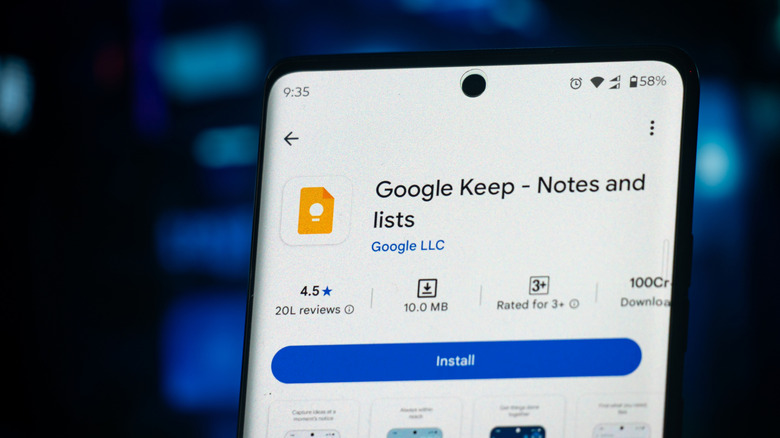
Though it wasn't designed intentionally to help with grocery shopping, many consumers say Google Keep is one of their favorite grocery apps. Primarily, Google Keep is for getting organized. Within it, users can take notes, draw pictures, or take photos of things they want to remember, add color coding and labels to organize lists, pin notes to the home screen of your phone or tablet, and use it to set reminders. It syncs with all your devices and those of other collaborators you choose.
As for how it helps with buying groceries, consider one reviewer's example. First, she used it to create a master grocery list. Then she created another list of pantry items to be reviewed and, if needed, replenished every few weeks. Finally, she created a meal plan list, which she could constantly adjust and align with the other lists. Then she pinned all of them to her phone's home screen so she could compare them at a glance.
Google Gemini's voice activation feature allows you to verbally update the lists. The app syncs automatically so that one user's changes appear for all other collaborators. And all this organization can end up saving you money because it keeps you from overbuying pantry items or purchasing foods that aren't in your meal plan. Additional features that users enjoy include a location-based reminder feature, so if it senses you're near a store, it reminds you to stop. It also has the ability to add sublists to your main list.
Weee!
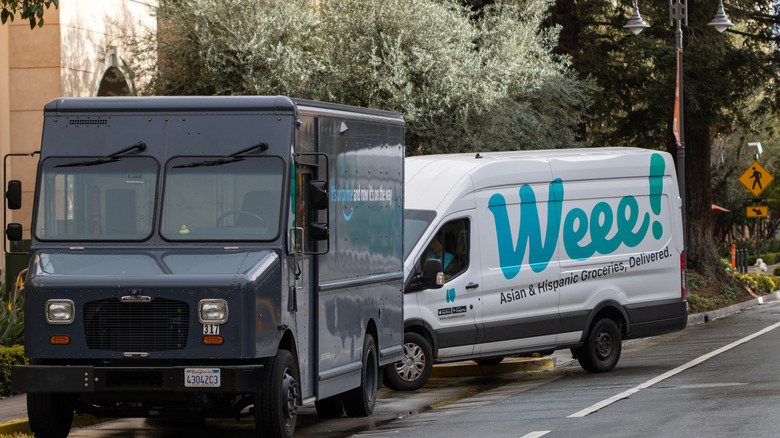
If Asian ingredients are part of your regular cooking routine, it's likely you find yourself hopping around to several small, local international markets every month. You might even have one market to stock up for your Korean tteokbokki and another for Filipino ube. What if there was one Asian market where you could buy all these and more — Chinese, Japanese, Taiwanese, Korean, Thai, Filipino, and other Asian delights? In steps Weee!, an online Asian grocery store accessible through both a free app and a website.
Weee! offers a full range of groceries, from snacks and household goods to fresh meat and produce, and reviewers on Reddit comment that the latter two arrive surprisingly fresh. Additionally, many say the items are often cheaper than what they'd find while shopping at their usual Asian market. Frozen goods are packed on dry ice, and in many cities (depending on location) you can even get same-day delivery. When you shop, you can filter by category and browse or enter the specific item you're looking for into a search bar. Listings for the items show price and the earliest available delivery date, so you can be sure to stay within a specific budget and plan meals accordingly.
Bring! Grocery Shopping List
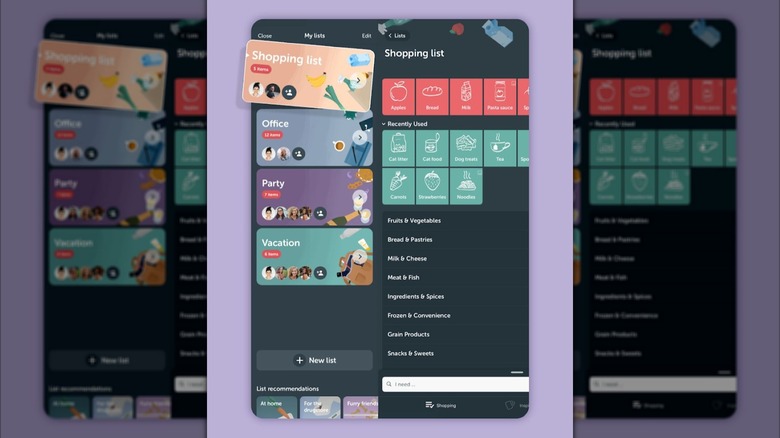
The basic version of Bring! Grocery Shoppy List is free, highly rated, and quite robust — although there is a premium, ad-free version (at $1.99 per month or $8.99 per year) that allows more customization. Reviewers love Bring! for its price awareness options — it allows you to browse local store circulars for deals, save loyalty cards for your local stores, and add store offers right to your shopping list. Others say they enjoy the simple, intuitive interface that uses color coding and icons to sort grocery categories, rather than inundating you with lists full of text. You can also mark whether items are urgent or only to be bought when convenient, and you can even note that you're waiting to buy something if you find a good discount for it.
It also will suggest companion items — for example, if you add pasta to your list, it will suggest adding a sauce. You can add product details and photos as well. Peruse recipes that come with convenient recipe cards and ingredient lists that can be added to your grocery list with one tap. And it works with voice assistants such as Amazon Alexa. You also can invite others in your household to join the list through WhatsApp, email, Messenger, or other sharing option in your device, and any change is synced for all users instantly.
List Ease
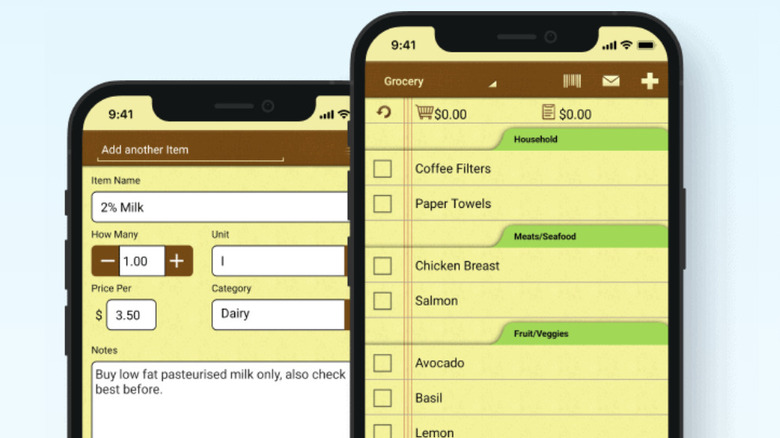
The List Ease app does what several other of these apps do — maintain an up-to-the-minute grocery list that syncs effortlessly among users, voice input list items, categorize items by store aisle, check off items as you shop, and add quantities and notes. It's free, with no premium version, and it may look simple, but it also gets high praise for its user-friendly interface, with a home screen that offers three options: grocery list, pantry inventory, and coupons.
The pantry inventory feature helps the app stand out among reviewers, allowing you to keep track of what you already have on hand, including a barometer that shows depleting quantities, so you know exactly what you have and what you'll soon need to replenish. It remembers previous list items and their prices. You also can keep a tally of costs as you build your shopping list, so you can stick within a set budget and plan your spending more effectively. It utilizes your location, and you can opt in to receive in-store reminders so you don't forget things while you're there. Use a barcode scanner to add items to your list quickly. You can even scan receipts to start tracking your grocery spending.
Mealime
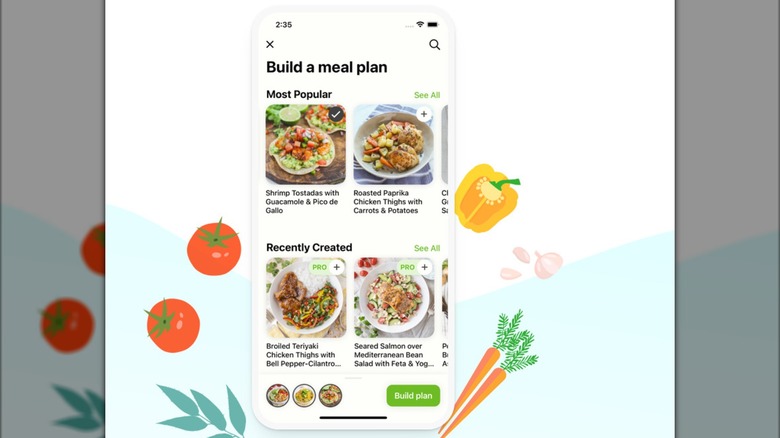
The Mealime app gets high marks from reviewers for being user-friendly and efficient, with the ability to plan meals, add recipes, and build a grocery list all at once. It also caters to dietary needs, with meal plan options for vegan, keto, allergy-friendly, and other diets. Reviewers say recipes can be suited to your budget, and there are even options for zero-waste meal plans.
Unlike several of the other apps listed here, Mealime does not have a grocery-list sharing feature — it's designed more for the mealplanning focus, with the grocery list function following from that. However, the list is helpfully organized by aisle and store layout. Most of the recipes can be made within 30 minutes and are easy enough for weeknights, with many of them quite healthy. One reviewer noted that the recipes are curated to emphasize quality over quantity. The app plans meals more quickly than most other apps, so it's ideal for weeknight warriors looking to lock in their meals for the week quickly, but it's not designed for those who like to casually browse recipes.
Methodology
There are hundreds of grocery apps out there, but these were selected specifically for going beyond store loyalty cards and benefiting the shopping experience, by saving you money, adding convenience, and costing little or no money to use. The apps selected also consistently received high marks on digital marketplaces as well as praise from independent customer and media reviews alike.