

What To Do When Your Instant Pot Gives You The 'Burn' Error
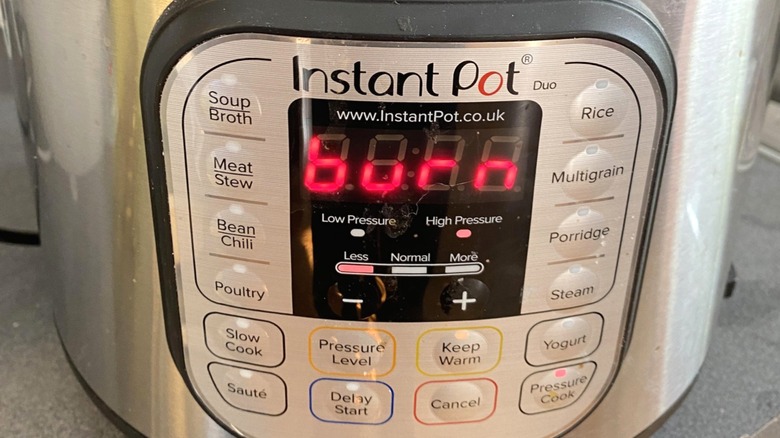
Instant Pots are a marvel of technology — these smart kitchen appliances combine pressure-cooking power into a countertop device that you don't technically need to babysit. This has made them a convenient part of many households' weekly dinner routines, since they work faster than a slow cooker, and most can handle enough food for an entire family. But if you've tried to make fall-apart barbecue chicken, for example, you might have received an unhappy message from your Instant Pot: "BURN." What should you do the next time this happens? It could be as simple as adding a bit more liquid.
Instant Pots need liquid to create the steam they use to cook your food. When that liquid doesn't exist — or there isn't enough of it — inside the metal inner pot, the intense heat can burn whatever is on the bottom, be it diced onion bits, a thick tomato sauce, or chunks of meat. This trips the sensor on the machine and causes it to display the error message. It's a quick enough fix, though. After hitting the "Cancel" button to stop cooking and quick-releasing the steam valve, take a wooden utensil to the bottom of the inner pot to lift the burned food off. Top it off with a bit more liquid to avoid the issue again, replace the lid, and reprogram the cook time to whatever was left when you stopped it.
How to prevent Instant Pot burn messages before cooking
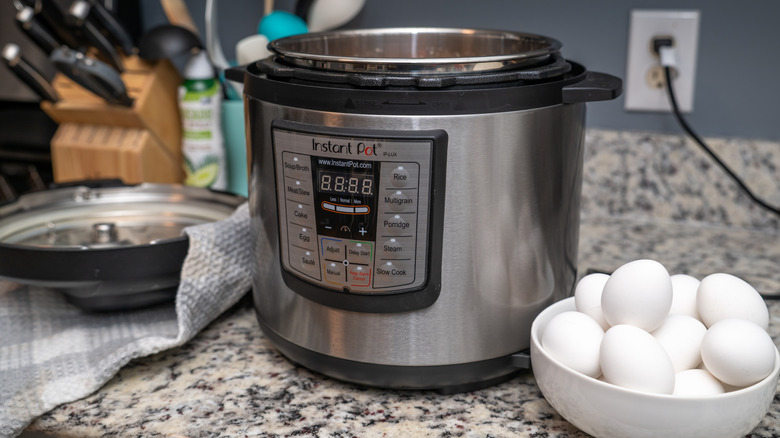
If you dread receiving the burn error on your Instant Pot, there is something you can do to mitigate its occurrence before you affix the lid and start pressure-cooking. For instance, if you suspect a recipe doesn't incorporate enough liquid — perhaps it was written by AI — you might use your best judgment and add a little anyway. An ounce of prevention is worth a pound of cure, as they say.
Another reason for the burn message might be food stuck to the bottom before the lid went on, like if you used the saute function to soften or sear ingredients. After adding the liquid components, which serve to deglaze the inner pot, use a wooden utensil to scrape up the browned bits beforehand.
There could also be a mechanical reason for the message. Check to ensure that the silicone sealing ring is in place and undamaged; if it's not properly affixed, or if it has sustained any damage, steam will be able to escape, and the pot will dry out, causing the contents to burn. Check its condition and placement every time before you use the appliance. If the sealing ring is actually damaged, you will unfortunately likely have to suspend your cooking until you can purchase a new one.